By Ankit Bhangar
AI-native mentorship, in the open.
I mentor anyone changing how they work because of AI, from automations to shippable products. Everything here is free (no course, no cohort), with a 1:1 when you want it.
Why learn this
It started with a dashboard.
My cousin Yagika (opens in new tab) — midway through college in 2026, studying Business Analytics, International Business, and Marketing — realized something that changed how she works: being great at understanding the business is only half the job. Making the data visible, so others understand it too, matters just as much.
Dashboards built using drag and drop mechanisms are a thing of the past. AI-driven analysis and dashboarding is, in her words, “crazy important now.” So she learned to build with AI (with a little help from me) — writing prompts to describe what's needed, and the AI writes the code.
Watching her learn — and I could not be prouder of her — made me think: why not help others start too? That's how I found more people who wanted to build. Below is how you do it.
The building blocks
Nine words that unlock all of it.
Every term is the everyday version first, the technical meaning second. The first six double as your setup checklist — the five accounts take about 15 minutes, and everything except the domain is free.
The setup — six steps
- 01GitHub
Google Docs quietly keeps every version of your document, so you can always see what changed and go back. GitHub does that for code: every save is a snapshot, so no work is ever lost.
Our pick: GitHub — it's free, and Claude does the Git work for you.
- 02AI Model
ChatGPT is the app you talk to — the thing actually reading your message and writing back is an AI model, the engine underneath. When you build, the model is the worker: it understands what you ask for and writes the code.
Our pick: Claude — it can drive every step of the flow below on its own.
- 03IDE
Like ChatGPT has an interface for you to chat with it, an IDE is the interface where you chat with the AI model so it can write code. Your project's files live there while you build — you talk on one side, the code appears on the other.
Our pick: Visual Studio Code — free, and Claude plugs straight into it.
- 04Hosting
When you create a presentation or a Word document, it lives on your laptop — that's where it exists, and only you can open it. Hosting is storage for the internet: put your creation there, and everyone can access it.
Our pick: Vercel — free to start, and Claude can publish to it directly.
- 05Domain
A shop needs an address people can find — “the third door past the bakery” doesn't scale. A domain is your address on the internet: www.yourname.com, pointing anyone who visits to where your work is hosted.
Our pick: GoDaddy — the one paid step (a domain runs ~$10–15/year), and two settings connect it to your hosting. Nothing else waits on it, so it's fine to buy yours last, once there's something worth pointing it at. bhangar.net lives there.
- 06BRD
Before an architect draws a single wall, someone writes down what the house needs — the rooms, the budget, who lives there. A BRD (business requirements document) is that for your outcome: what you're building, for whom, and why — written before any code.




How tools talk to each other
- 07Connector
A charger connects your phone to the wall — you never think about what happens inside the plug. A connector does the same between your AI and the tools you already use — Notion, spreadsheets, calendars — so it can read and write there for you.
- 08API
A menu lets you order from a kitchen you never enter: fixed options, predictable results. An API is a menu for software — one program asks another for exactly what it offers (“today's weather,” “this month's sales”) and gets exactly that back.
- 09API Key
Your house key proves you're allowed in without anyone asking questions. An API key is the same for software: a secret code that proves it's really your account when one tool talks to another.


All six done? Pick a use case and build along
How it fits together
From what you need to a live website.
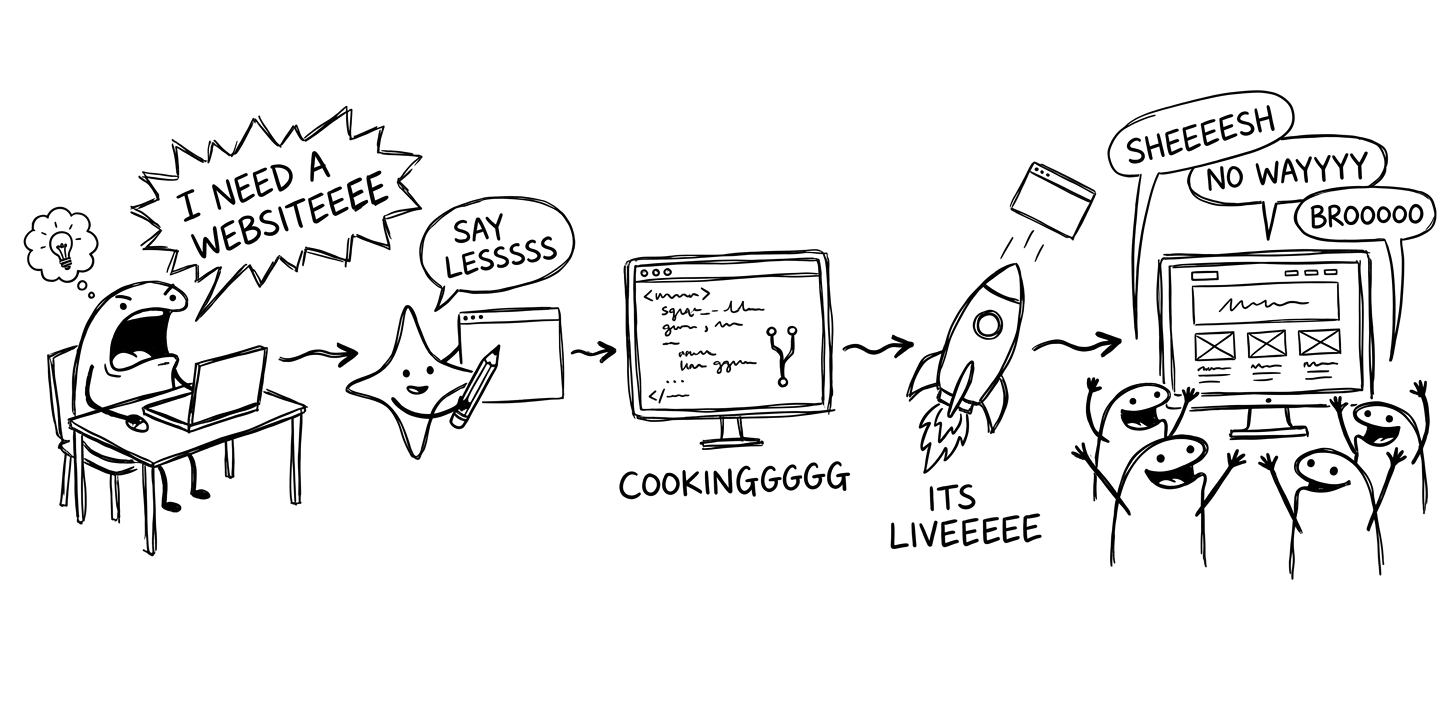
Once you're set up, this is what happens each time you build.
You
Tell Claude what you need.
Claude (opens in new tab)
It understands, asks questions, and writes the code…
Visual Studio Code (opens in new tab)
…inside your IDE, where the files live.
GitHub (opens in new tab)
Claude keeps every version of the code here.
Vercel (opens in new tab)
Your API key proves the account is yours — Claude publishes the files.
GoDaddy (opens in new tab)
www.yourdomain.com connects to Vercel.
A visitor
Opens www.yourdomain.com and sees what you made.